Bit Form V3 Released Now

Offer ends in:
00
days day
00
hours hour
00
Mins Min
00
Secs Sec
days day
hours hour
Mins Min
Secs Sec


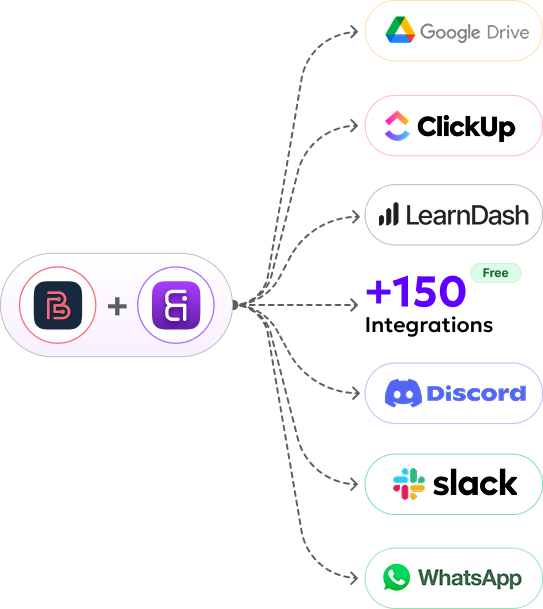


Bit Form alone connects to 50+ apps directly for free. When combined with Bit Integrations, you gain access to 150+ more apps for free as well, allowing you to automatically send form data to various platforms.
No, both are completely no-code. Create your form in Bit Form, then in Bit Integration select "Bit Form" as trigger, choose from 150+ action apps, map fields, and activate.
Simply install both plugins on your WordPress site. In the Bit Integrations dashboard, select Bit Form as the trigger, choose your desired action app (like Google Sheets or Mailchimp), and automate your workflows in just a few clicks.
Small businesses benefit from Bit Form and Bit Integrations by automating repetitive tasks, such as data entry, customer follow-up, and order management, reducing the time spent on manual processes and improving overall productivity.
Yes, create one form in Bit Form, then use Bit Integration to set up separate workflows sending data to both PipeDrive and HubSpot from a single submission.
Use Bit Integration's conditional logic with your Bit Form: leads with budget >$10K go to Salesforce, while smaller inquiries route to Google Sheets or Zoho Bigin, all automatically.
.Absolutely, Bit Form collects data, then Bit Integration distributes it to Mailchimp, ActiveCampaign, GetResponse, Klaviyo, and 50+ other email platforms easily from one submission.
Create your form in Bit Form, then configure Bit Integration to automatically create tasks in Asana, Trello, Clickup, Notion, or SmartSuite with all form fields mapped to task details.
Yes! Build your form in Bit Form, then use Bit Integration to create Freshdesk tickets and Asana tasks easily from the same submission.
Create your upload form in Bit Form, then configure Bit Integration to save attachments to Google Drive, Dropbox, OneDrive, or pCloud with automatic folder organization.

 EN
EN  ES
ES  DE
DE