ES
ES  EN
EN  DE
DE  PT
PT  IT
IT  JA
JA  ID
ID Podcast Guest Application Form: What to Ask and How to Build One
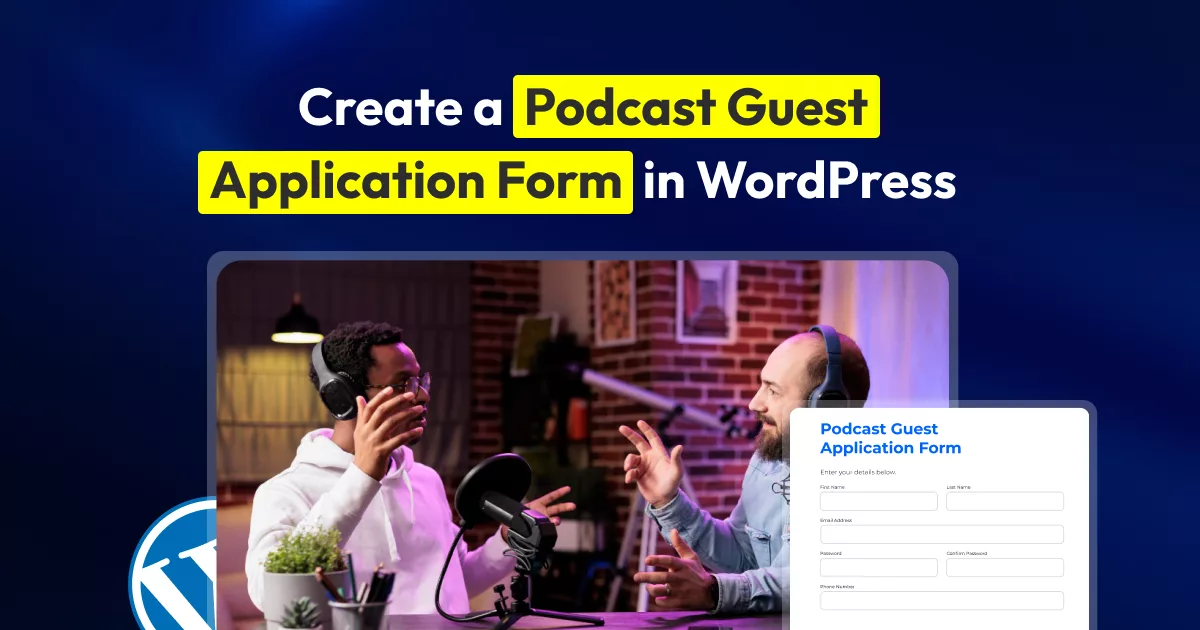
If you run a podcast, then getting podcast guest requests is normal. But it turns into a problem when you get them in bulk and when they start showing up everywhere.
Most podcasts get guest requests through more than one channel (email, Instagram DMs, a friend-of-a-friend text); it becomes difficult to coordinate with different people. You have to chase the same basic information from everyone before you can even decide whether the guest is a good fit.
It is tiring. In that case, a podcast guest application form can make the process blissful.
With a podcast guest form, you don’t have to deal with guests in DMs; they’ll simply fill out a form, and you’ll get all the information needed for primary processing. This guide shows you how to create a podcast guest application form in WordPress, what fields to include, how to use conditional logic and notifications, and where an interview release form should fit into the process.
En resumen
- A guest application form replaces scattered DMs and emails with one structured intake, so every guest gets compared on the same criteria.
- In the application form, ask about their expertise, the topic they want to discuss, and why they’re a fit for your audience. At this point, skip anything you won’t actually use to make a decision.
- Use conditional logic to show or hide fields based on users’ input (e.g., only ask for promo details if they say they’ll promote the episode).
- Set up email notifications so new applications land in your inbox the moment they come in. This needs SMTP configured first, or the notification won’t send.
- Embed the finished form with a shortcode, a Gutenberg block, or an Elementor widget on your “Be a Guest” page.
What Is a Podcast Guest Application Form, and Why Do You Need One
A podcast guest application form is an online contact form that stays on your website where someone who wants to be on your show can submit their pitch. With this form, you ask applicants who they are, what they’d talk about, and why they want to come, rather than asking them to email all the information. You can then review their answers using the same basic criteria.
What happens when anyone wants to be your guest? They approach you in Instagram DMs, LinkedIn messages, or in emails. Each one arrives in a different format and is missing something: no bio, no topic idea, no way to tell if this person can actually carry a conversation on your show. This way, you end up asking for information at a time from each person and eventually lose track.
Now, when you take the same guest information via a form, you get all the information/documents in a more structured way and in the same format. And you stop losing pitches. You don’t have to dig through old DMs. In fact, you can decide faster whom to invite and whom not to invite. It reflects the professionalism of your podcast, which creates a positive impression among guests.
You ask better questions before booking a call, not during it. Instead of spending the first ten minutes of a pre-interview call figuring out if someone’s a fit, you already know their expertise and their pitch before you hit reply.
You set expectations upfront. A short line about your show’s format, how often you publish, and whether guests are paired with promotion asks weeds out people who aren’t actually a fit, the same way Entrepreneurs On Fire’s guest page states its format and volume before anyone applies.
It also filters out the low-effort pitches on its own. Someone who won’t fill out five fields about their own expertise probably wasn’t going to prep well for the episode either.
The important distinction is that the application is a screening tool.
You are not trying to collect every detail about a potential guest. You are trying to collect enough information to answer one question: Is this person worth taking to the next step?
What to ask on a podcast guest application?
Keep the form focused on what you need to make a yes-or-no call; this step is crucial for initial screening of a guest.
1. Basic guest information
Start with the information you need to contact and identify the applicant. For example, collect full name, email, business/job title, and website/LinkedIn/portfolio link.
2. Background and expertise
Next, find out what the person’s expertise is, like any field or sector about which the person can actually talk.
For example, you can ask questions like:
- What is your area of expertise?
- Tell us briefly about your professional background.
- What experience gives you a useful perspective on this topic?
Then collect a short bio or professional background- a few sentences, not a full resume. For that, you can use a Multi-Line Text field and a Radio Button or Checkbox field for areas of expertise.
3. Proposed podcast topics
Then you can ask them:
What topic would you like to discuss on the podcast?
Why would this topic be useful to our listeners?
These questions give you a clear picture of why the person wants to come and what impact it will have on your audience.
They also make it harder for applicants to paste the same pitch into every podcast application.
A recent podcast guest application guide similarly recommends looking for evidence that the applicant understands the show, can offer something useful to its audience, and has a specific perspective to share.
4. Questions that help you screen podcast guest pitches
If you receive a lot of applications, add one or two questions that require genuine effort.
For example
Which episode of our podcast did you find most relevant to your proposed topic, and why?
Or
What should listeners be able to do or understand differently after hearing your episode?
These questions are useful because they shift the focus away from self-promotion.
A good guest does not necessarily need the largest following. They need something worth discussing and a clear understanding of why it matters to your audience.
Podpage’s current guidance also recommends questions around the applicant’s proposed topic, why it fits the show, what listeners should take away, and relevant previous appearances.
5. Previous appearances and relevant links (Optional)
Give applicants a place to share proof of their experience. It can be their previous podcast appearance, interview, or a YouTube video
One or two useful links are usually enough.
You are trying to understand how the person communicates and whether they have relevant experience.
6. Availability
You can collect availability during the application stage, but it is optional.
If your selection process is small, it may be easier to ask about scheduling only after you approve the guest.
If availability matters earlier, collect the preferred days and times.
8. A simple consent statement
If you need permission to store and review application information, include an appropriate agreement checkbox.
For example, you might explain that the information will be used to review the guest application. And if selected the information shared during the interview by the guests will be shared publicly. Make sure you mention all your terms and conditions in clear words.
How to build a podcast guest application form in WordPress
Once you know what fields you need, form creation becomes easier and faster. And if you’re building this inside WordPress, then it’s even better. WordPress directory has numerous form builders that can help you to create one in minutes.
That’s why, today, to create this podcast guest application form, I’ll be using Bit Form. It is a visual form builder that allows you to create the form by simply dragging and dropping fields. The best part of it is that it is lightweight and comparatively less expensive.
Step 01: Install and activate Bit Form
Install and activate Bit Form from your WordPress dashboard, or start from one of the ready-made plantillas de formularios if you want to skip building from scratch.
I’ll start with a blank form and give it a clear name such as Podcast Guest Application.
Bit Form includes 38+ field types in the free version and 50+ fields in Pro, including Email, Multi-Line Text, URL, Select, Checkbox, Radio Button, File Upload, GDPR Agreement, and other basic and advanced fields.
Step 02: Add core fields of your form
Drag in the fields from the menu on the left side. Here, I’ll use a Sección field to group and separate related questions (contact info, expertise, and background details) so the form reads cleanly.
For example, the first section of the form will ask for contact information.


The next section will contain Background details, like area of expertise, short bio, topics they want to discuss in the podcast, etc.
img
Step 03. Use conditional logic to avoid unnecessary questions
Conditional logic is useful when an applicant’s answer determines whether another question matters. It prevents forms from being unnecessarily long.
For example, when you ask: Have you appeared on a podcast before?
If the applicant selects Sí, then only show this field: “Please share one or two previous podcast appearances.”
Otherwise, it stays hidden.
Bit Form’s conditional logic can show or hide fields based on responses, and it also has actions such as enabling or disabling fields, changing values, and modifying field visibility. You can combine multiple conditions with AND/OR logic, and even branch further with “Else If” rules — so the form adapts based on how someone answers, instead of showing every question to every applicant regardless of relevance.
Read More: Learn more about conditional logic in Bit Form
Step 04. Add a file upload if you need one
If you want applicants to provide a headshot or media kit, add a File Upload field. Be specific about what you want.
For example, upload your media kit or speaker sheet
Then explain the accepted file types and size limit. Bit Form’s advanced file upload field comes with a drag-and-drop feature, file browsing, PDF preview, image resize, crop, preview, and many more options.
Step 05. Add a consent checkbox where appropriate
If you need a simple application-related consent statement, Bit Form includes a GDPR Agreement field as part of its documented field options.
Keep the wording clear and connect it to your privacy practices.
For example, explain that the applicant’s information will be stored and reviewed for guest consideration.
A recording release should come later if you need one.
Step 06: Style the form
Your podcast guest application should feel like part of your website, so use the editor de estilo avanzado to customize your form’s appearance. Styling includes colors, typography, field sizes, borders, backgrounds, and other visual elements. You can also customize individual fields when you want more control over specific parts of the form.
For a podcast application, focus on a few practical details:
- Match the form’s accent color with your website or podcast branding.
- Keep labels easy to read.
- Give long-answer fields enough space for topic pitches and bios.
- Use consistent spacing between sections.
- Make the submit button visually clear.
- Check the form on mobile before publishing.

What Happens After Someone Submits
Before making the form live, there are a few things that you need to ensure. Like, control and decide what happens after someone hits submit.
Set up an notificación por correo electrónico so you get notified the moment a new pitch comes in, and configure a separate confirmation message for the applicant, like “Thanks for applying. We received your guest application and will review it. If your topic is a good fit for the show, we’ll contact you about the next step.”
Or you can redirect them to a dedicated thank-you page. If you want to keep applicants from wondering whether their submission went through, this small step is significant.
Other than that, protect your forms from spam submissions. Bit Form includes multiple spam protection features like Google reCAPTCHA and Cloudflare Turnstile in the free version, which handle most bot submissions. Then there is a honeypot trap option if you want an extra layer without showing a visible challenge to real applicants.
If you’re tracking applications outside WordPress, Bit Form also connects to 50+ tools like Google Sheets, Zapier, and various CRMs, so submissions can land directly in a spreadsheet or pipeline instead of sitting only in your WordPress dashboard.
Test the forms before publishing
Once you’re done creating the form, save the changes, preview your podcast guest form, and test it. After testing, if everything seems right, publish the form on your WordPress page or post using the shortcode.
How to Improve Your Podcast Guest Application Workflow
Use a multi-step form for longer applications
Long single-page forms can feel like a wall of questions, especially if you’re asking for a pitch, links, and a file upload all at once. Breaking the application into a formulario multipaso keeps things easy to complete. Like, basic info on step one, pitch details on step two, and uploads or consent on the final step. It also shows applicants a progress bar, which tends to reduce drop-off compared to one long scroll.
Save longer applications when necessary
If your application requires several detailed answers or file uploads, some applicants may leave before submitting.
The form abandonment feature allows you to save partial entries and repopulate previously entered information when the user returns.
If you use this feature, tell users that their information may be saved before submission. This is particularly important when the form collects personal or professional information.
Podcast Guest Form Template You Can Use
Do You Need a Podcast Guest Release Form?
A podcast guest release form is a legal agreement. It gives podcasters written permission to record the guest and use that recording however the show operates.
A release form can be useful when you need a formal agreement covering the recording and its use. It is usually better to introduce it after the guest has been selected rather than placing a lengthy release at the end of an open application.
This could be the workflow of the whole process:
Guest applies → You approve → Guest completes release → You record
Depending on how the agreement is written, it may cover:
- Audio and video recording
- Editing and formatting
- Publishing and distribution
- Promotional use
- Name, voice, and likeness
- Social clips and marketing assets pulled from the episode
- Transcripts, captions, and AI-generated summaries
Tú también puedes collect guests’ digital signatures to document their agreement to the release terms. If you are using a release for legally important permissions, make sure the wording reflects how you actually plan to record, publish, and reuse the content. For specific legal requirements, it is best to have the agreement reviewed by a qualified legal professional.
Your Next Great Guest Could Start With This Form
A podcast guest form is easy to build. The difficult part is screening guests with the right questions.
If your form only asks for a name, bio, and social links, you will still have to do most of the screening yourself. A better application gives people a chance to show why their experience matters, what extra they can bring to the table, and what benefit your audience will get from this conversation.
That is why you do not need a long form. You need the right questions.
Start with the few answers that would make you say “yes, I want to bring this person on my podcast.” Build those into the application, use conditional fields to keep irrelevant questions out of the way, and move the detailed guest preparation to a later stage. And if you’re a WordPress user, the form creation is easier, as explained above. So, what’s the wait for? Welcome your guests with a clean podcast application form.
Preguntas frecuentes
What questions should a podcast guest application ask?
Start with the applicant’s name, email, background, expertise, proposed topic, audience fit, and relevant links. Collect previous appearances or supporting materials if they help you screen guests.
How many fields should a podcast guest application have?
Enough to make a decision, usually five to seven. For example, name, email, bio, topic pitch, a link to their work/professional profile, and availability date.
Can I reuse this form for other types of guest applications?
Yes. The same structure works for guest blog pitches, speaker applications, or interview requests. Swap the topic and availability fields for whatever fits the format.
Can I create a podcast guest application form in WordPress?
Yes. A WordPress form builder can collect guest information, topic ideas, links, files, and consent. Bit Form also provides conditional logic, multi-step forms, email notifications, and spam protection for this type of workflow.
How do I stop backlink pitches and PR spam from clogging the form?
Add a reCAPTCHA, Turnstile, or hCaptcha field to block automated bot submissions. If templated pitches from PR agencies are the bigger problem, that’s a human sending them, not a bot, so filtering by topic category with conditional logic will help more than spam protection alone.
Do I need a separate podcast guest release form?
Not every podcast needs the same process, but a release is worth considering when you need guests to agree to specific recording, publishing, distribution, or promotional rights. It is generally better to treat the release as a separate stage from the initial application.
Can I add a signature to a podcast guest release form?
Yes. Bit Form Pro includes a Signature Field that can be used when you need guests to sign an online agreement.


Blog relacionado

Create a Student Enrollment Form for School, College, or Course in WordPress
How to Create a Digital Consent Form With Signature in WordPress