

 EN
EN  ES
ES  DE
DE  PT
PT  IT
IT  JA
JA  ID
ID Best Contact Us Page Examples | Turn Leads Into Conversion
One of many reasons a business has reduced sales is the absence of a good contact page on the website. A basic Contact Us page is of no use if it does not generate quality leads. That’s why you must design a purpose-driven contact form based on users’ needs.
However, if you’re a beginner, you may find it challenging to create a contact form that drives conversions. So, here I have shared with you the best contact us page examples for better leads.
This will help you take inspiration and create an outstanding Contact Us page for your website. Additionally, you will learn about an amazing plugin named Bit Form to help you make an attractive contact us page. So, stay tuned to find out more!
Table of Contents
Why a Contact Us Page Actually Matters
Ever landed on a website, loved the product, but couldn’t figure out how to get in touch? Frustrating, right? That’s exactly why a “Contact Us” page is more than just a web form—it’s a golden gateway for better leads.
Here’s why it matters:
A dedicated Contact Us page builds trust. It tells visitors you’re open for conversation, questions, and support. That simple page signals you’re a real business with real people behind the screen—not just another faceless site.
But it’s not just about being reachable. A well-designed contact page can filter and qualify leads. By asking the right questions (“What are you interested in?” or “What’s your budget?”), you attract people who are genuinely interested, saving both you and your prospects time.
Plus, think about user experience: if your contact info is buried or missing, visitors might leave and never return. You want the path from “I’m interested” to “Let’s talk!” to be as smooth as possible.
And here’s a pro tip: when your page clearly lists multiple ways to connect—form, email, phone, even chat—people feel empowered to reach out the way they prefer. That lowers barriers and increases the odds of a conversation turning into a conversion.
How A user-friendly Contact Us Page makes you benefit
Better User Experience
A good contact page not only allows customers to ask questions, but it also gives clarity on why they should contact you. And when we talk about a purpose-driven contact page, it is incomplete without a contact form.
This form helps customers convey their message efficiently. So, if you want customers to fill out this lead capture form, you should definitely create an attractive Contact Us page section.
Generate Quality Leads
A good contact us page contains relevant fields in the contact form. Besides, it is also designed based on the user’s needs. So, people who are not serious won’t fill out the form. This leads to quality leads filling out the form and makes your lead generation strategies stronger. As a result, you can get better leads who will actually buy the product.
Build Email Marketing List
A contact us page’s contact form contains an “email” field. Through this field, you can collect potential customers’ email addresses and use them for your marketing campaigns. As a result, you will be able to nurture quality leads and increase your business’s conversion rate. Besides, with the right plugin, you will be able to set up email notifications in the contact form.
Use Different Contact Forms to Generate Better Leads?
You can use different contact forms in a contact page to generate quality leads. These forms must contain certain fields to gauge the audience’s interest.
If the customer is reaching out to you for a specific need, you must make the contact form design for better leads based on the customer’s purpose. So, let’s find out the form fields you must use in various contact forms:
Appointment Request Form
Businesses can design a contact form based on users’ needs, such as a medical appointment request form, a consultation appointment form, or a home service appointment form. As the contact form is created based on a user’s particular needs, it encourages them to take fast action. And as the form looks too serious, you get only quality leads who are really interested in taking appointments.
An appointment request form contains fields like,
- Full Name
- Email Address
- Phone Number
- Preferred Appointment Time
- Preferred Appointment Date
- Location
- Consent
Quote Request Form
Through this, customers can see that the quote request form is already designed based on their needs. And they no longer need to write long paragraphs explaining their issue in the description box. This will lead them to fill out the form quickly and provide you with better leads.
A quote request form may include the following fields –
- Full Name
- Email Address
- Phone Number
- Company Name
- Product Needed
- Quantity
- Preferred Delivery Date
- Address
- Additional Notes
- How Did You Hear About Us
Sales Inquiry Form
Customers can reach out to you to get possible solutions for their needs. So, if you design the contact form as a sales inquiry form, then there is a higher chance they will fill out the form quickly. Through this, serious customers can easily convey their message to you.
This action also saves time as they don’t have to type anything manually. As a result, they take faster actions, and you get quality leads.
A sales inquiry form contains fields like –
- Full Name
- Email Address
- Phone Number
- Company Name
- Service Of Interest
- Budget Range
- Additional Comments
Is a simple General Contact Us Page Enough to Get Quality Leads?
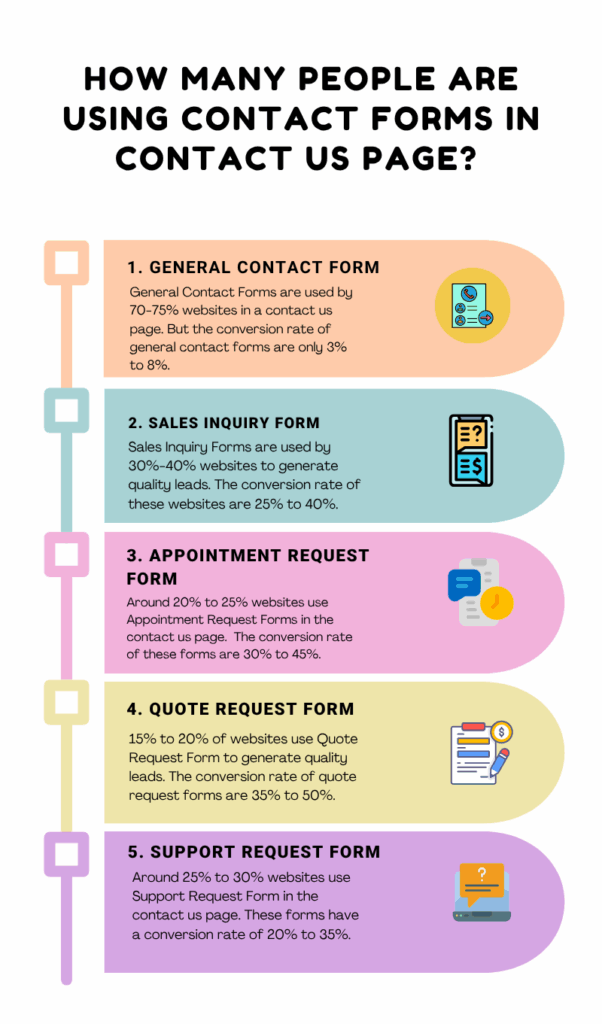
The conversion rate of the general contact form is 3% to 8%. But with a customized contact form, you can get a higher conversion rate of 10% to 20%.
30% to 40% of people use Sales Inquiry Forms, but only 12% to 18% people turn into leads. So, when you use a detailed Sales Inquiry Contact Form, the conversion rate can get to 25% to 40%.
Using General Appointment Request Forms, only 15% to 25% people turn into leads. But with a customized Appointment Request Form, the conversion rate gets to 30% to 45%.
Quote Request Forms turn only 18% to 28% people into leads. You can get the conversion rate of 35% to 50% with a specialized quote request form designed for better leads.
Around 25% to 30% websites are using Support Request Form. But you can get the conversion rate to 20% to 35% using a designed form for quality leads.
Best Contact Us Page Examples For Better Leads
When it comes to a Contact Us page, a contact form is essential for generating better leads. Besides, a well-designed contact form can help produce quality leads more than a basic contact form. However, you may want some Contact Us examples for inspiration or ideas. Here are the best Contact Us page examples for better leads:
Sales Inquiry Form
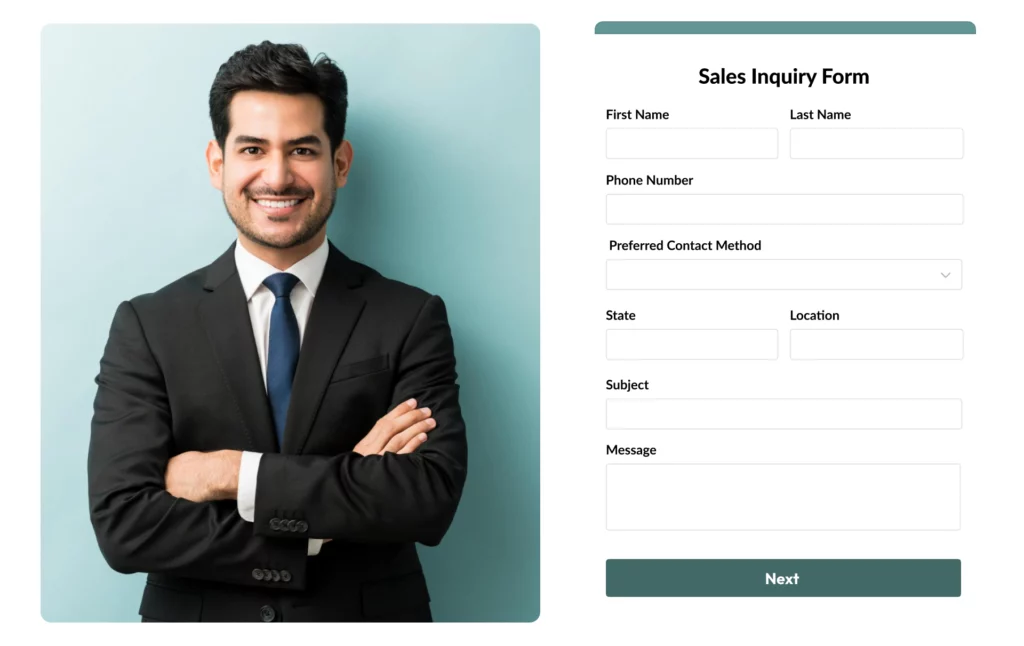
Industry: Sales & Marketing
This website has a contact us page with a simple contact form. You can see a big heading, “Sales Inquiry Form.” Also, there are the following fields in the contact form: First Name, Last Name, Phone Number, Preferred Contact Method, State, Location, Subject, and Message.
The state and location fields allow customers to convey their details through a drop-down option. Also, it helps the business owner to qualify the leads geographically. As a result, only serious customers fill out the form, and you get to choose better leads for your business.
Property Inquiry Form
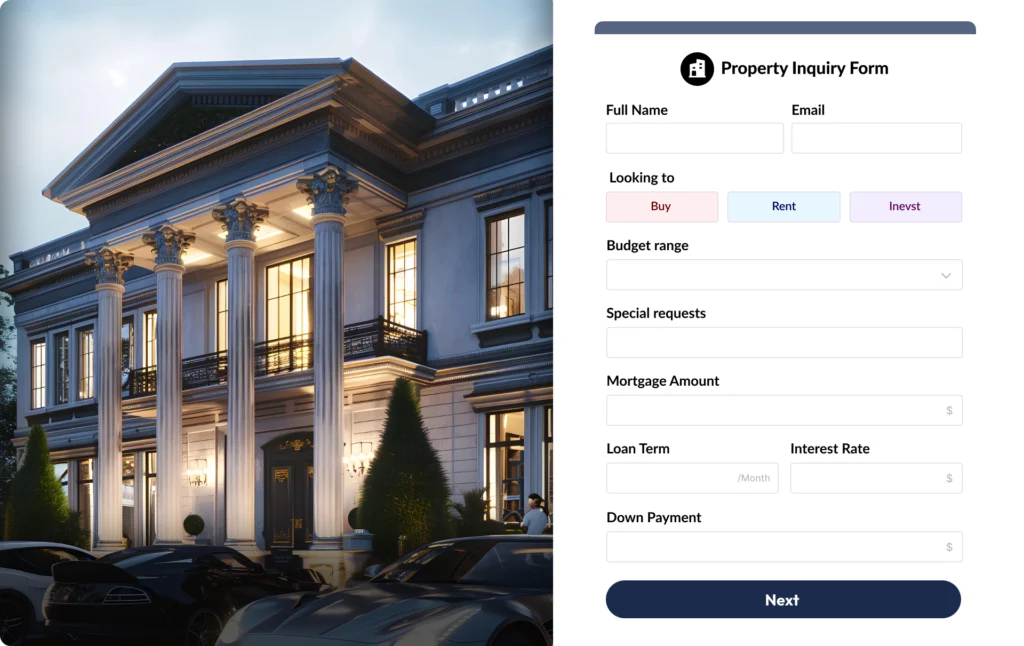
Industry: Property Management
This Property Management website has a contact page with a contact form in the right corner. Well, the contact form has fields like Full Name, Email, Looking to – Buy, Rent, or Invest, Budget Range, Special Requests, and a Mortgage Calculator.
As you can see, the “Looking to” field makes it easier for customers to choose among various categories. Besides, the mortgage calculator allow customers to estimate your monthly mortgage payment. This encourages customers to fill out the form. As a result, you get better leads for your business.
Product Inquiry Form with multi-step solution
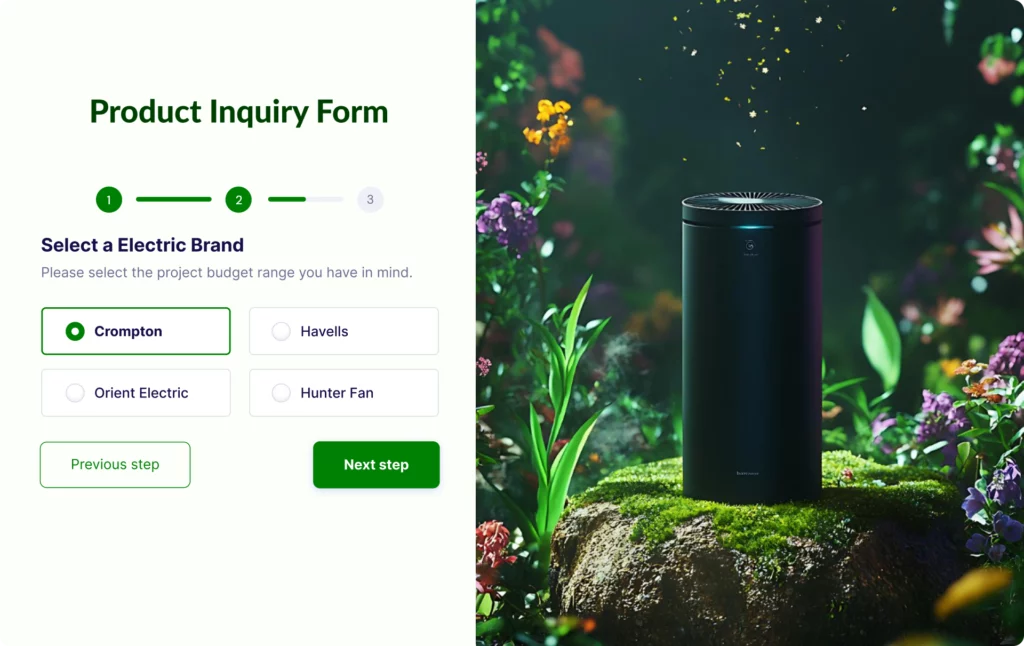
Industry: E-Commerce
This E-Commerce contact page has a multi-step contact us form which allow customers to select a product conveniently. Through this form, customers can fill out long forms without any cognitive load. However, many business owners use form builder plugins like Bit Form to create a contact form for their page. Its conditional logic helps them to extend the form’s functionality and automate repeated processes.
Legal Consultation Form
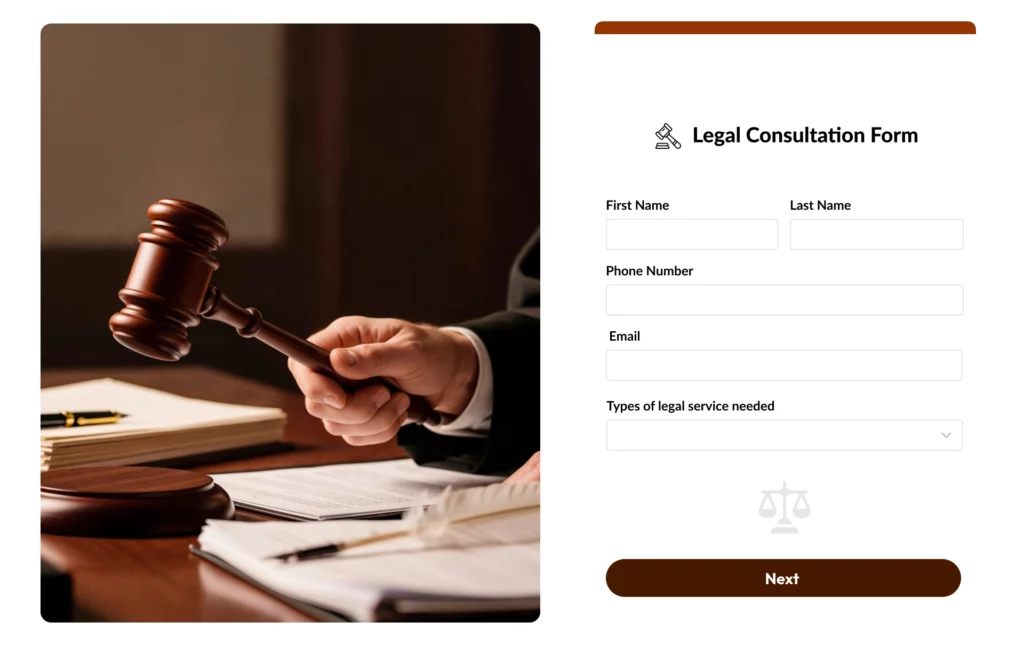
Industry: Law Firms
This is a Law Firm contact page with a “Legal Consultation Form”. This form has a fewer fields which makes the form look simple and attractive. The following fields are – First Name, Last Name, Phone Number, Email, and Types Of Legal Service Needed. With this form, customers can choose the specific legal service you need easily. Besides, as there are fewer yet effective fields, the owner can get higher form submissions.
Appointment Request Form
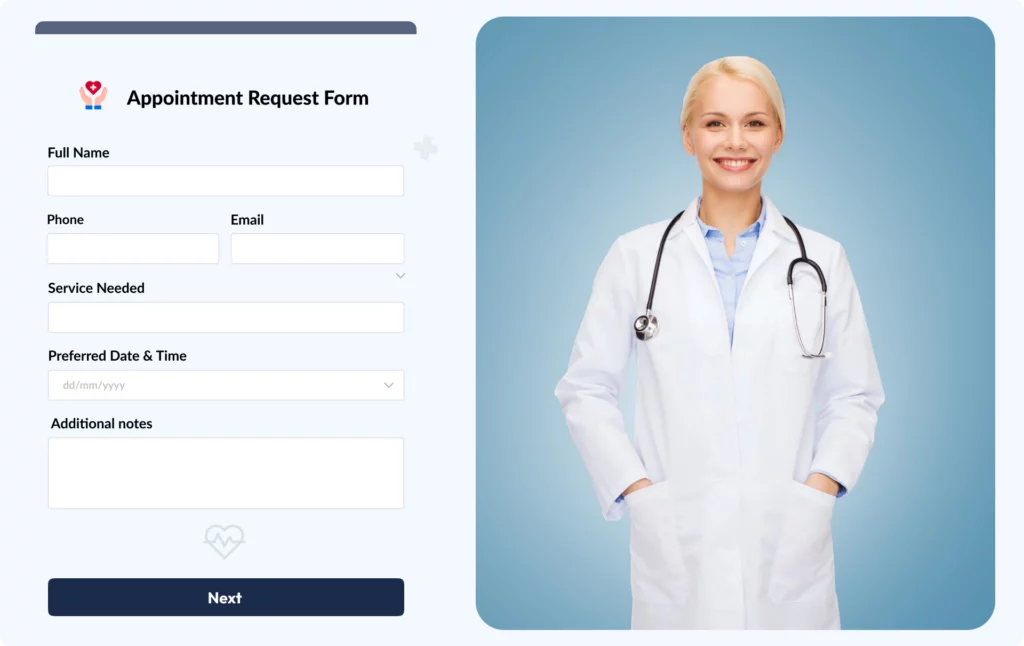
Industry: HealthCare Service
This is a HealthCare Service’s contact page which includes a contact form. The form contains following fields – Full Name, Phone, Email, Service Needed, Preferred Date & Time, and Additional Notes. Customers can easily choose their convenient date & time through this contact form. Besides, they can type their required service in the “Service Needed” field. As this contact page contains an effective form for customers, you can get more leads through such a contact form.
How to Create a Contact Us Page Easily
Creating a professional contact us page might seem difficult. So, you can use the Elementor page builder to create the page easily. Besides, with Bit Form, you can create an amazing contact form and add it to your page. Now, you will learn the step-by-step guide to creating an engaging Contact Us page for better leads:
Step 1: Install Bit Form and Activate The Plugin
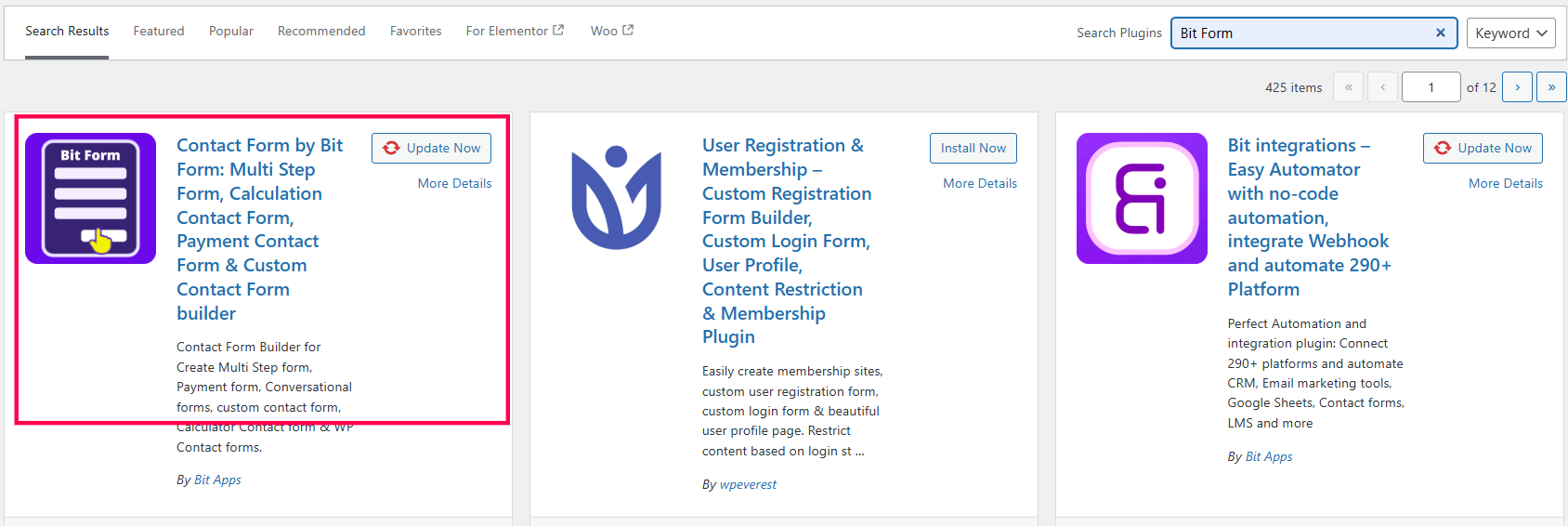
At first, I am going to install the Bit Form plugin to add a contact form to the page. You can search for Bit Form in the search plugin option and install this plugin.
Step 2: Create Form
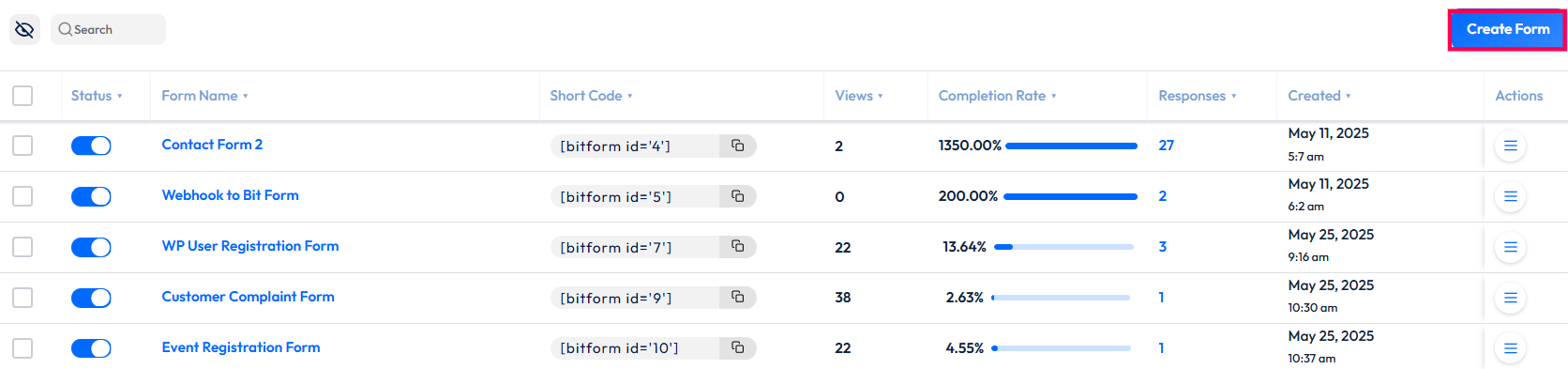
Now, go to the Bit Form’s dashboard. Click on “Create Form”.
Step 3: Choose Fields Based On Your Business Needs
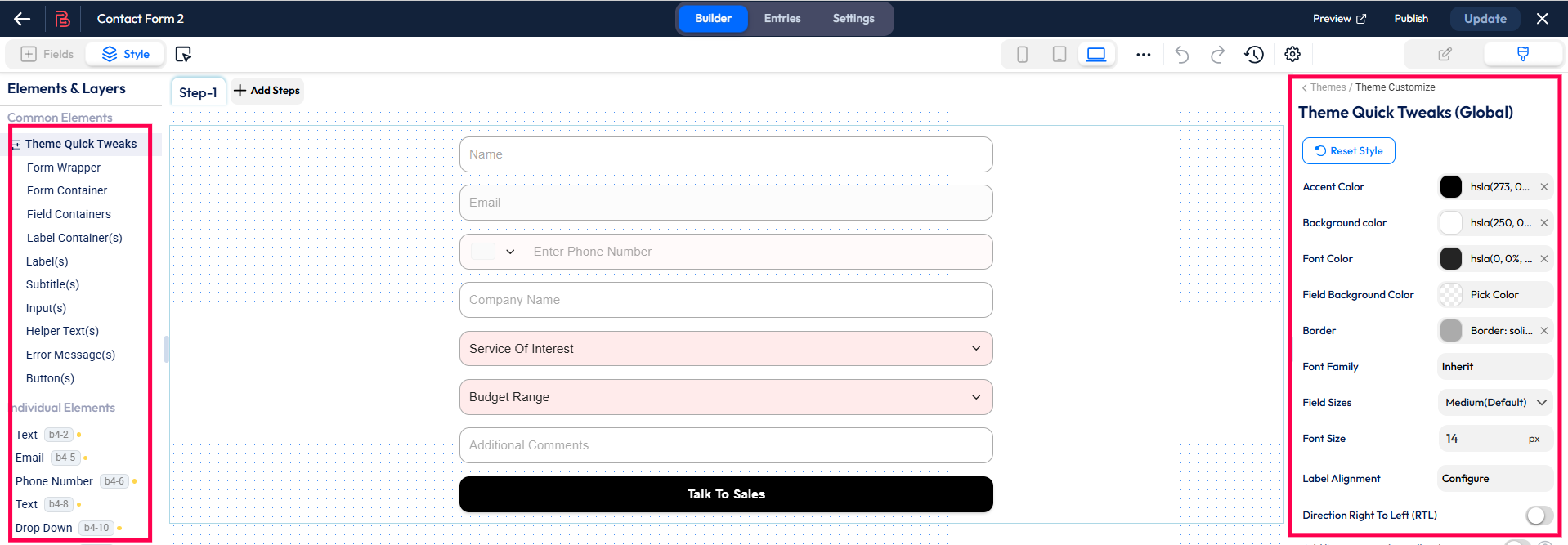
You can drag fields from the left side based on your business needs. Also, you can edit the label of the form using the “field settings”.
Step 4: Add Fields
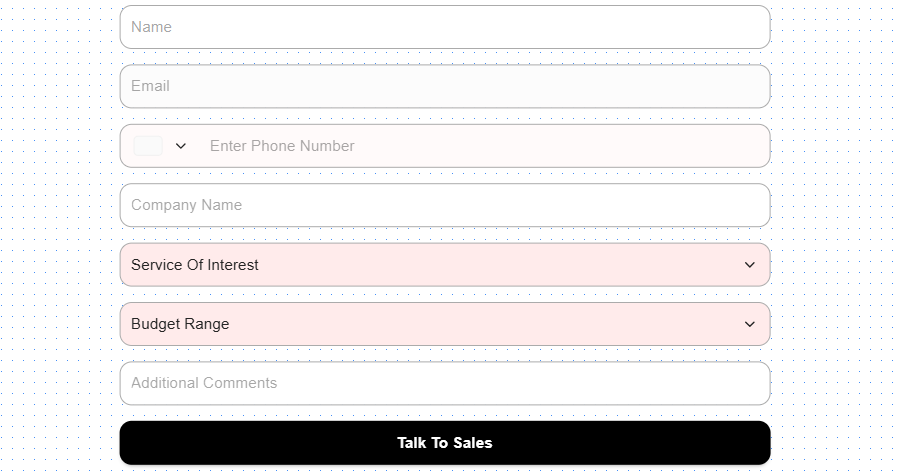
Here, I have added the following fields: Name, Email, Phone Number, Company Name, Service of Interest (Dropdown), Budget Range (Dropdown), and additional comments.
Step 5: Design Your Form
You can design your form using the “Bit Form default” theme. Here, you can change the form’s common and individual element style, font, and color.
Step 6: Publish The Form
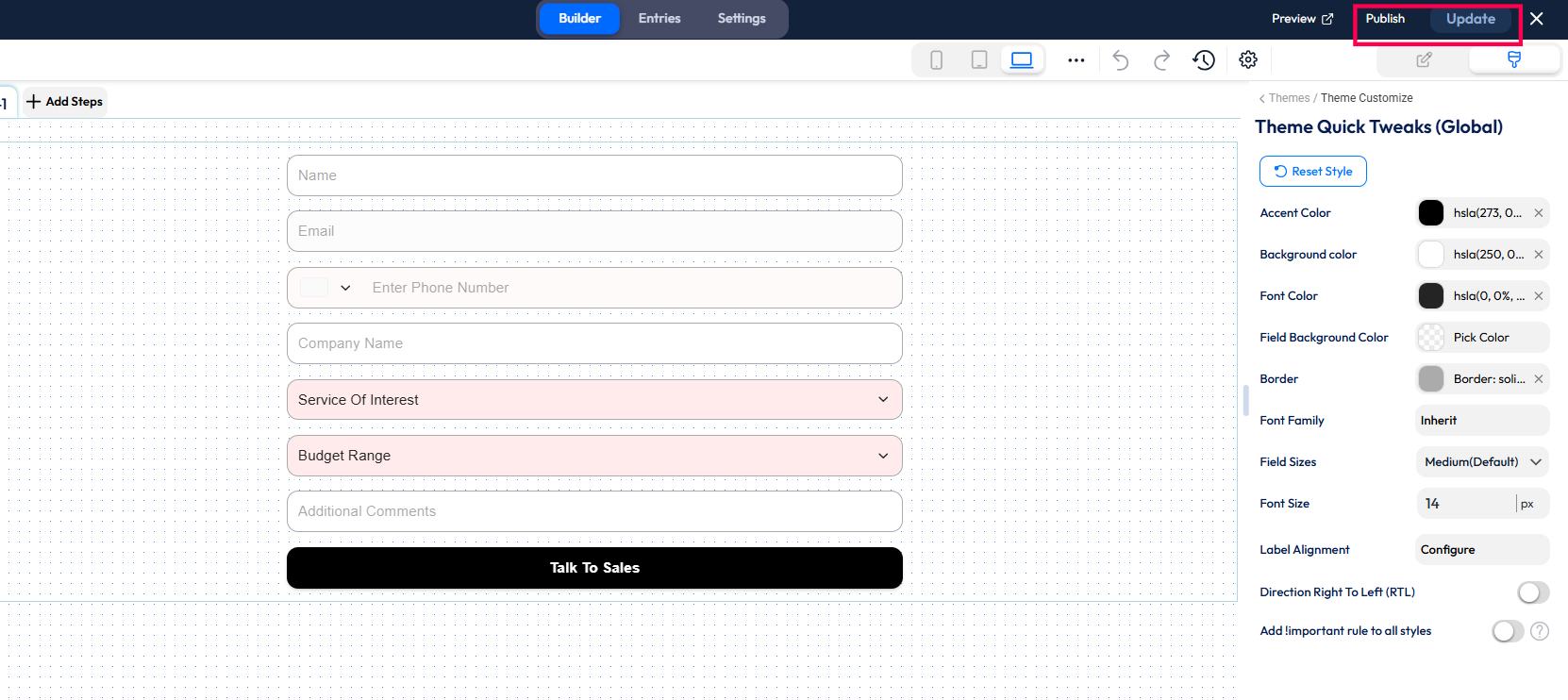
Once you are done, you need to update the form and publish it.
Step 7: Copy The Shortcode

Now, copy the shortcode as shown in the picture.
Step 8: Edit Page with Elementor
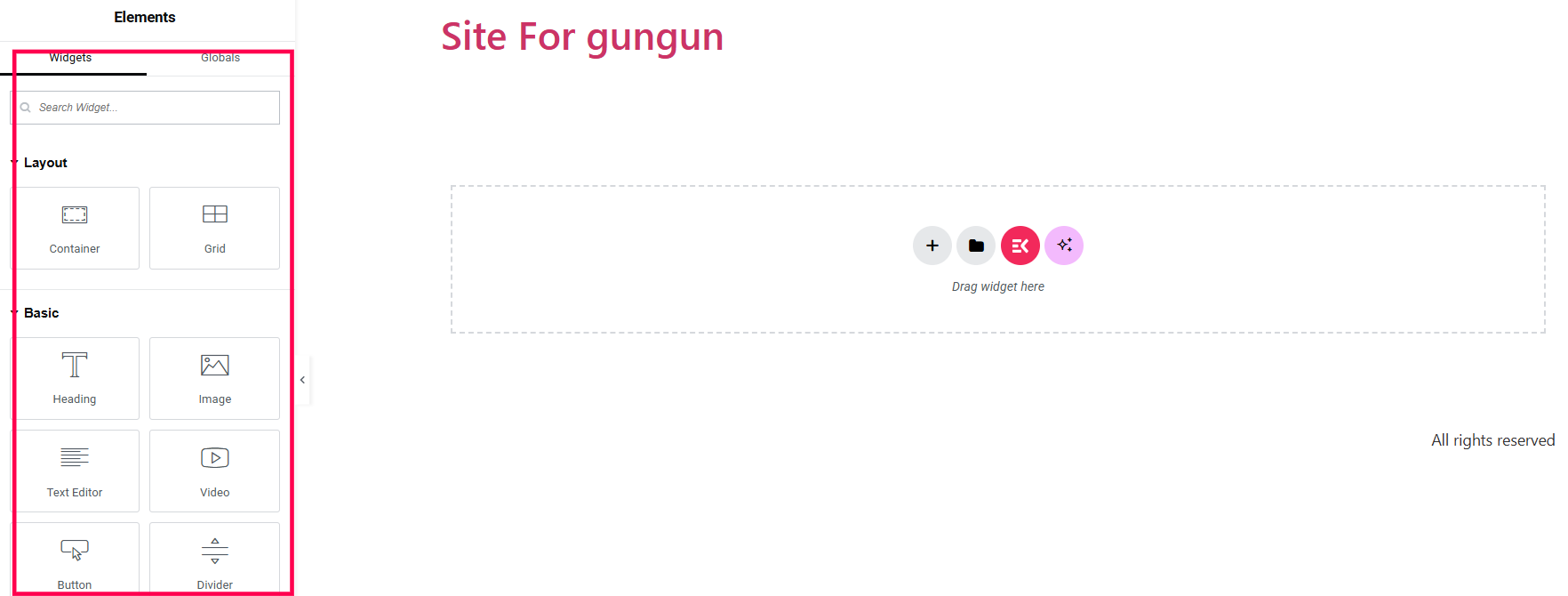
Now, you can start building your page. You can install the Elementor plugin to design your form. With this plugin, you can drag any field and customize the contact page.
Step 9: Drag Your Preferred Fields
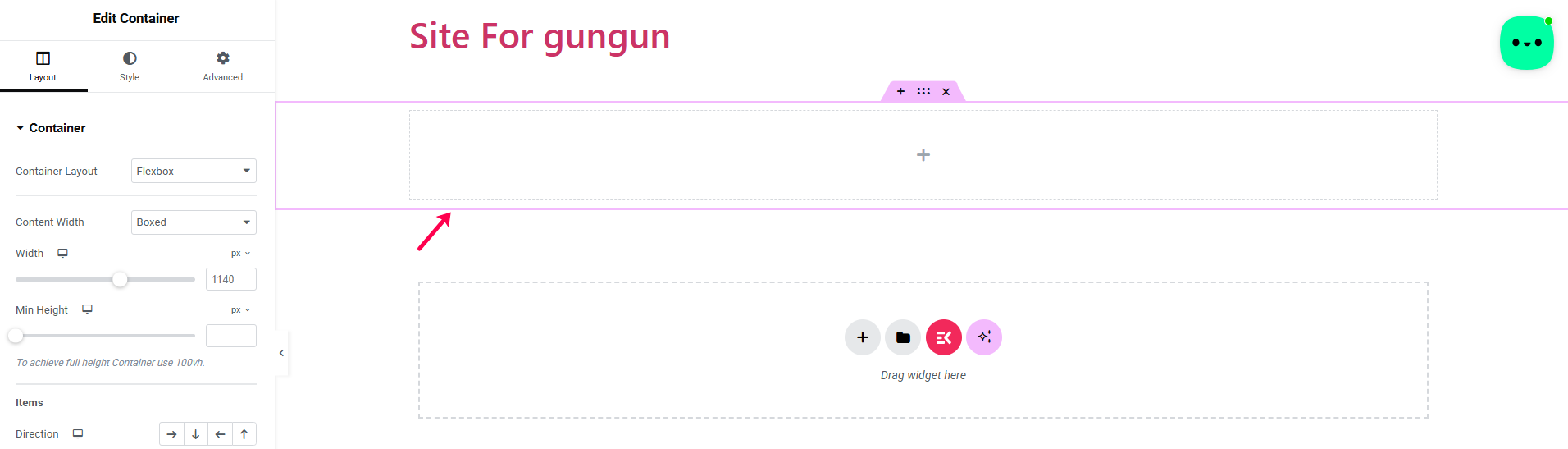
Here, I have dragged a “Container” to give a title to the contact page. Further, I have dragged a text editor to write my text. You can also use subheadings under the text. Also, the “style” option allows you to format the text based on your needs.
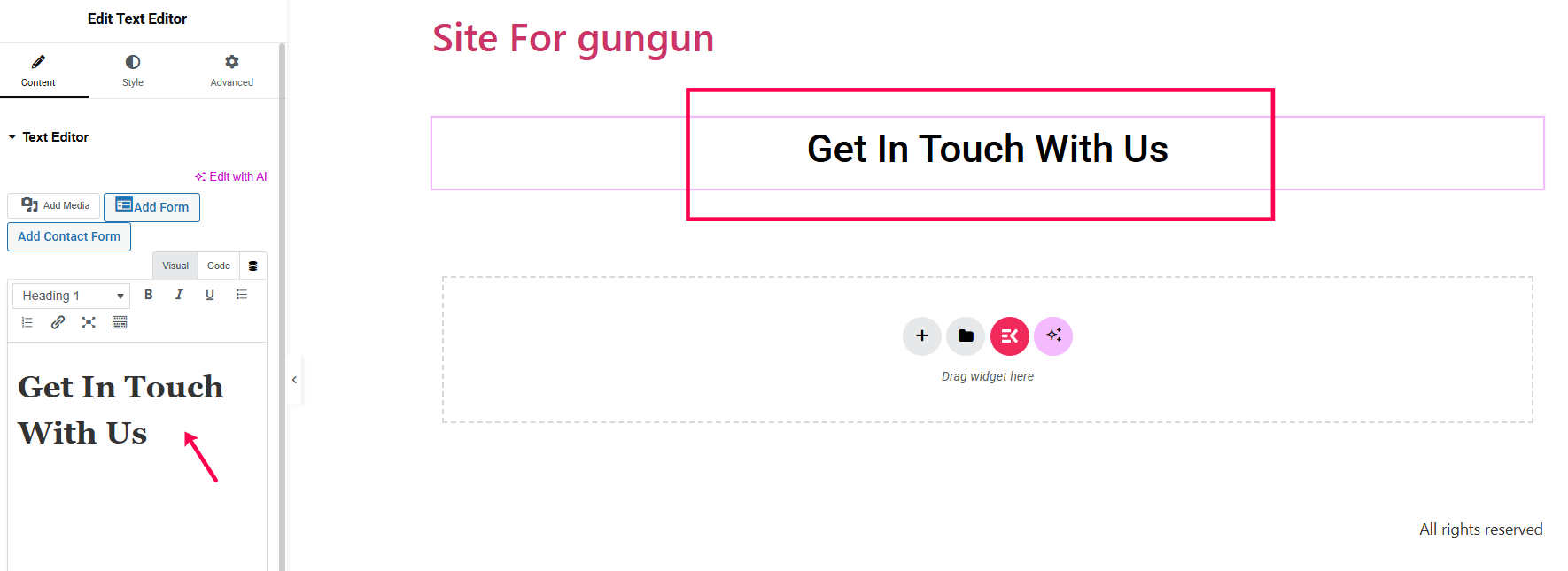
Step 10: Add The Contact Form
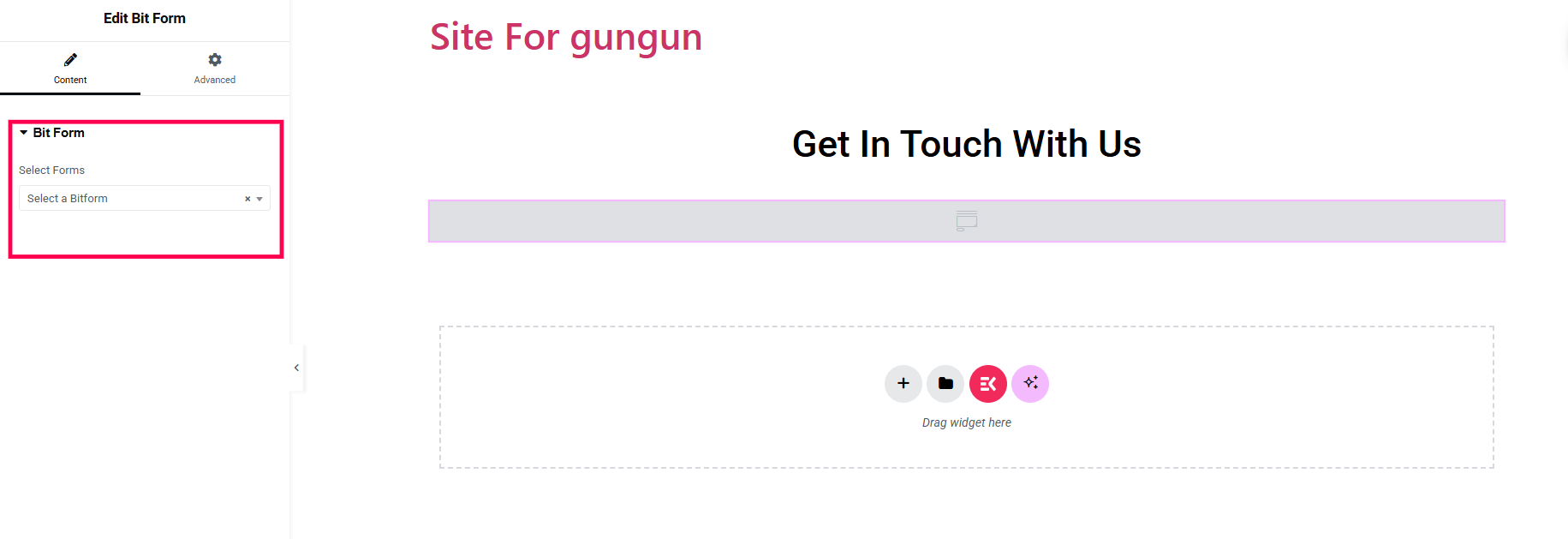
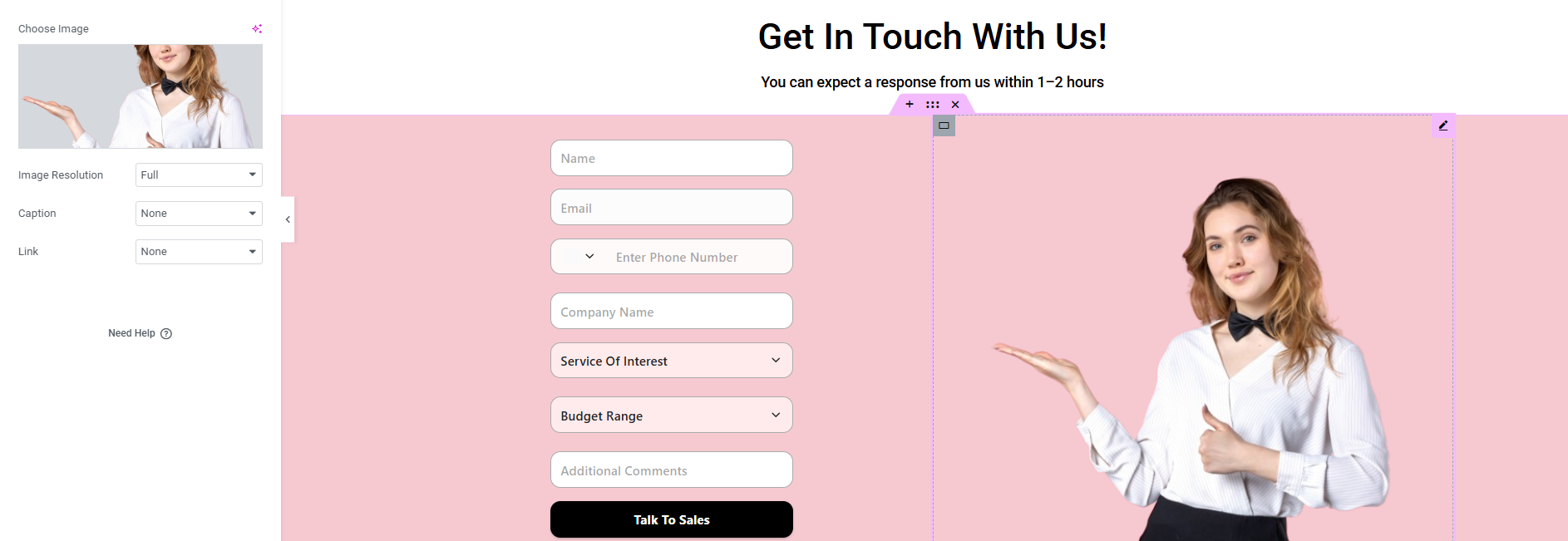
Now, I have added the form by searching “Bit Form” in the element option. Next, I have added an image beside the form container, as you can see in the picture below –
Step 11: Add Icons
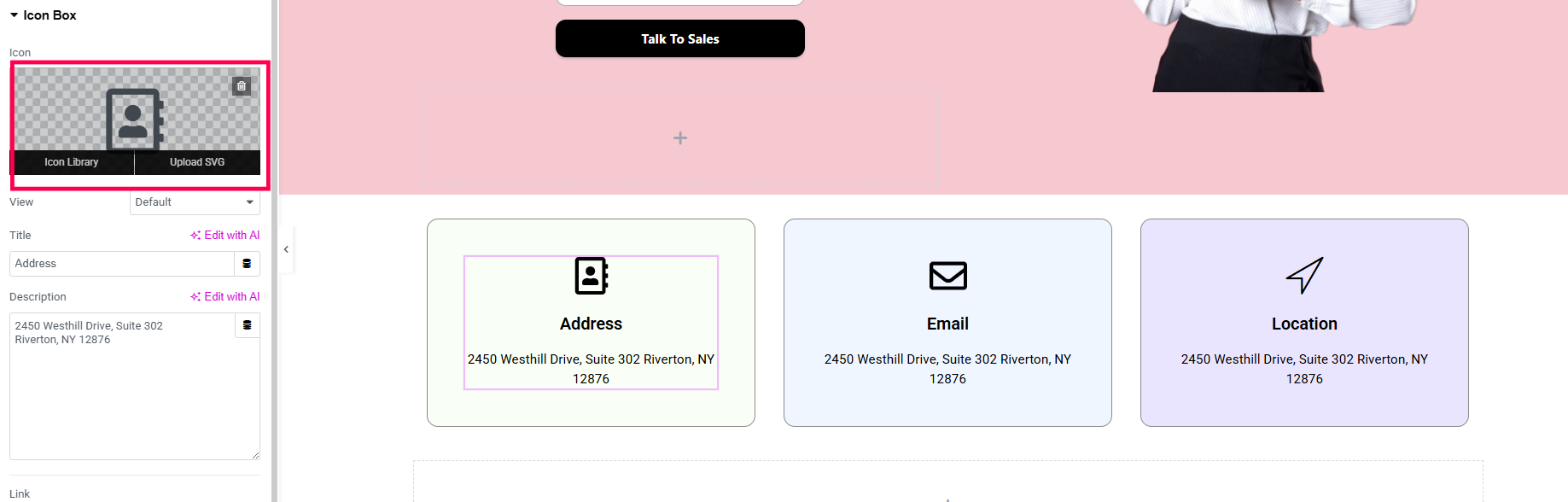
Now, I am going to add the following icons – Address, Email, and Location. To add icons, you have to search for the “Icon Box”. Then, go to the icon library and choose your favourite icon.
Step 12: Preview The Contact Page
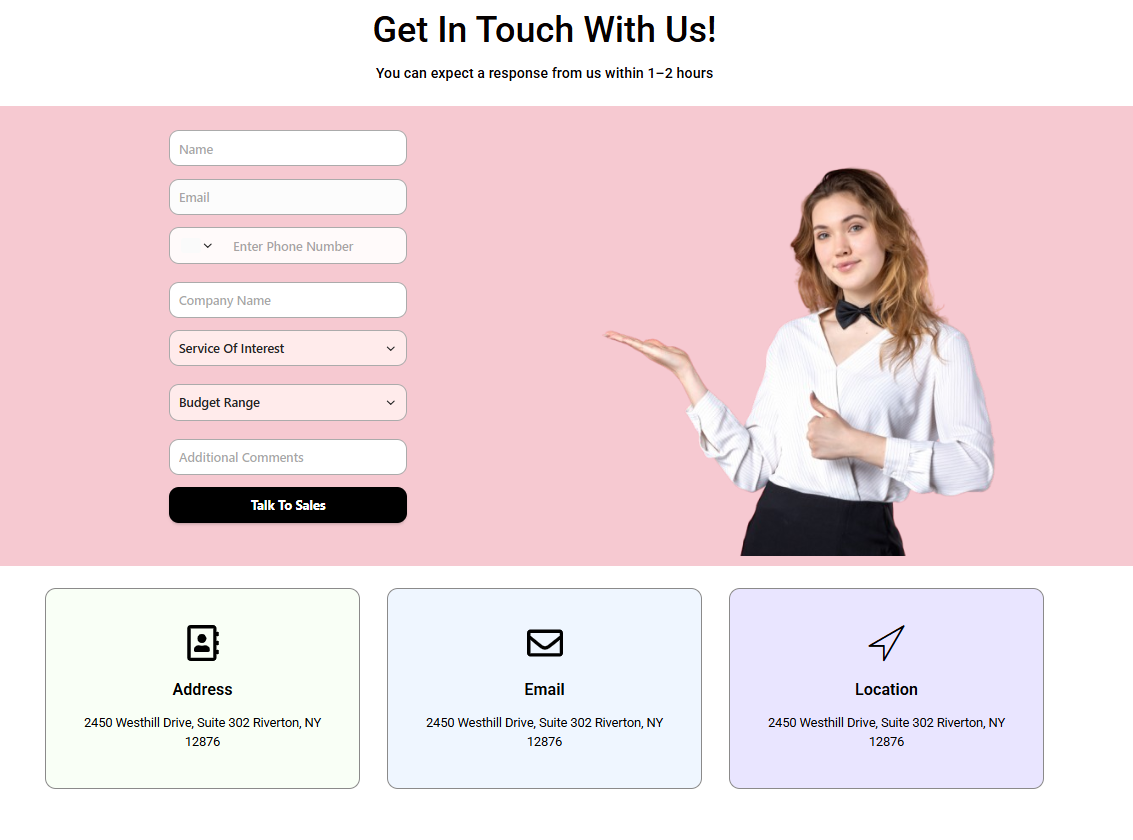
Now, you can publish the form and see its preview.
Best Practices To Create An Outstanding Contact Us Page
There is no doubt that you must make the contact page meaningful. However, the contact us page should also look visually attractive. Otherwise, it will give an unprofessional vibe and disappoint customers. So, let’s learn how to design a contact us page for quality leads through the points below:
Good Layout
A good layout will decide how attractive the Contact Us page looks. So, you must choose a good layout depending on the page’s content. Also, you must use concise labels so that customers can understand them easily. However, make sure that the form doesn’t look complex visually. Otherwise, customers may not want to fill out the form.
Mobile Responsive
A contact page must be mobile responsive, as it may include a contact form in the Contact Us page section. So, if the form is not supportive of any mobile devices, you won’t get many form submissions. As a result, you will not be able to generate quality leads anymore.
Call-To-Action
A good call to action allows customers to know the contact page form’s intent well. Also, it encourages customers to take faster action. However, the color of the CTA button also plays a vital role in whether customers will fill out the form or not. So, you must add a good color to the CTA button. Make sure that the color matches well with the overall page’s and form’s background.
Use Multi-Step Form
When it comes to a contact page’s form, no one likes to fill out a lengthy form with several fields. That’s why you can create a multi-step form to divide these fields into two steps. It reduces the cognitive load from the customer’s mind and helps them to fill out the form quickly.
Why Choose Bit Form to Build a Professional Contact Us Page?
Bit Form is a leading form builder plugin designed to create professional forms within just minutes. With this plugin, you can create attractive contact forms using the advanced style editor. When supported by conditional logic and integrations, it becomes more powerful to help you automate repeated tasks. Also, with its 40+ fields, you can design a customized contact form based on your needs.
With this form plugin, you can send automated responses to customers, which creates a brand reputation. Plus, the instant email notification feature allows you to respond to customers fast, which increases brand engagement. From creating beautiful customized contact forms to automating business processes, this plugin is ideal for a wide range of audiences to capture effective leads and streamline business.
You can use this plugin’s free version as a beginner with no budget. However, if you want to use more advanced features to extend the form’s functionality, Bit Form’s paid version gives you the best plan out of all.
Conclusion
A Contact Us page is a must to generate sales in a business. Without this page, customers cannot learn about your product or take any steps towards it. However, even a basic contact us page is of no use if it is visually unattractive. Besides, you can take extra steps to capture better leads by adding a contact form to the Contact Us page section.
As I have described earlier, you can easily add a contact form to the contact us page using the Bit Form plugin. Besides, you can also use this plugin’s style editor to give a professional look to the form. If you have any queries regarding this plugin, feel free to contact us right away.
FAQs
What’s The Difference Between A Regular Lead and a Quality Lead?
A regular lead can be someone unsure of taking action toward purchasing something. So, when they find a simple form, they will easily fill it out even though they are not serious. However, a smart form design gives you quality leads because they are interested in sharing relevant details and taking action.
What Is The Purpose of A Contact Page?
Customers need to communicate with business owners to know more about a certain product. So, it is not possible to reach out to the owner without a contact page. So, this page allows customers to convey their questions or messages to the owner, which leads to a higher conversion rate.
How to Design A Contact Us Page?
You can design a Contact Us page through the style editor. With this style editor, you can style common and individual elements. As this plugin gives you the flexibility to customize each detail, you can definitely use this plugin to style the contact page.
What Type Of CTA Should I Use on A Contact Us Page?
The type of CTA you should use on a high-converting contact us page design depends on the business niche and goal. For instance, if the contact page is designed for getting an estimated price for any product, you can give the CTA as “Get A Quote”. Again, if the contact page is designed for sales, then you can give the CTA “Talk to Sales”.
How Can I Build Trust on My Contact Us Page?
You can take plenty of necessary steps, such as keeping a section that shows real human presence, clear contact info, a Google Map of the physical address, and a trust-building text. These steps show the customers that your business is authentic and trustworthy.

Related Blog

How to Redirect Users to a Thank You Page After Form Submission
How Conditional Logic Forms Boost Conversion & Reduce Drop-Off

